Reviews
Review Details
How to read the review page once a scan is queued, running, or complete.
Use the review page to check execution status, confirm scope, inspect findings, and download reports.
Progress
For a completed tracked review, this section shows verified positive movement against the preceding tracked review or the project's original baseline. Improved findings matches the number of rows in What improved and equals Findings resolved plus Findings reduced. Improved pillar scores and Landing Zone checks that moved to passed are reported separately. New, increased, and unchanged findings stay in Resource Scores → Findings, where they belong with the current assessment state.
Subscriptions or rules that entered or left the assessed scope are shown as coverage changes. Hygiara does not count missing coverage as remediation. The first stored-connection review establishes the baseline; an ad-hoc review with tracking disabled shows current state only and is excluded from later comparisons.
All enabled assessment sources feed one rule set and one Findings list. Rules backed only by a current Microsoft Advisor observation are included automatically, remain unscored, and carry their evidence provenance in the finding detail. If an observed-only rule disappears, Hygiara does not count that as remediation because the source can omit dismissed or postponed recommendations. New and persistent observed-only rules use the same Findings workflow as evaluated controls. Subscription or control coverage changes are reported separately and never count as remediation.
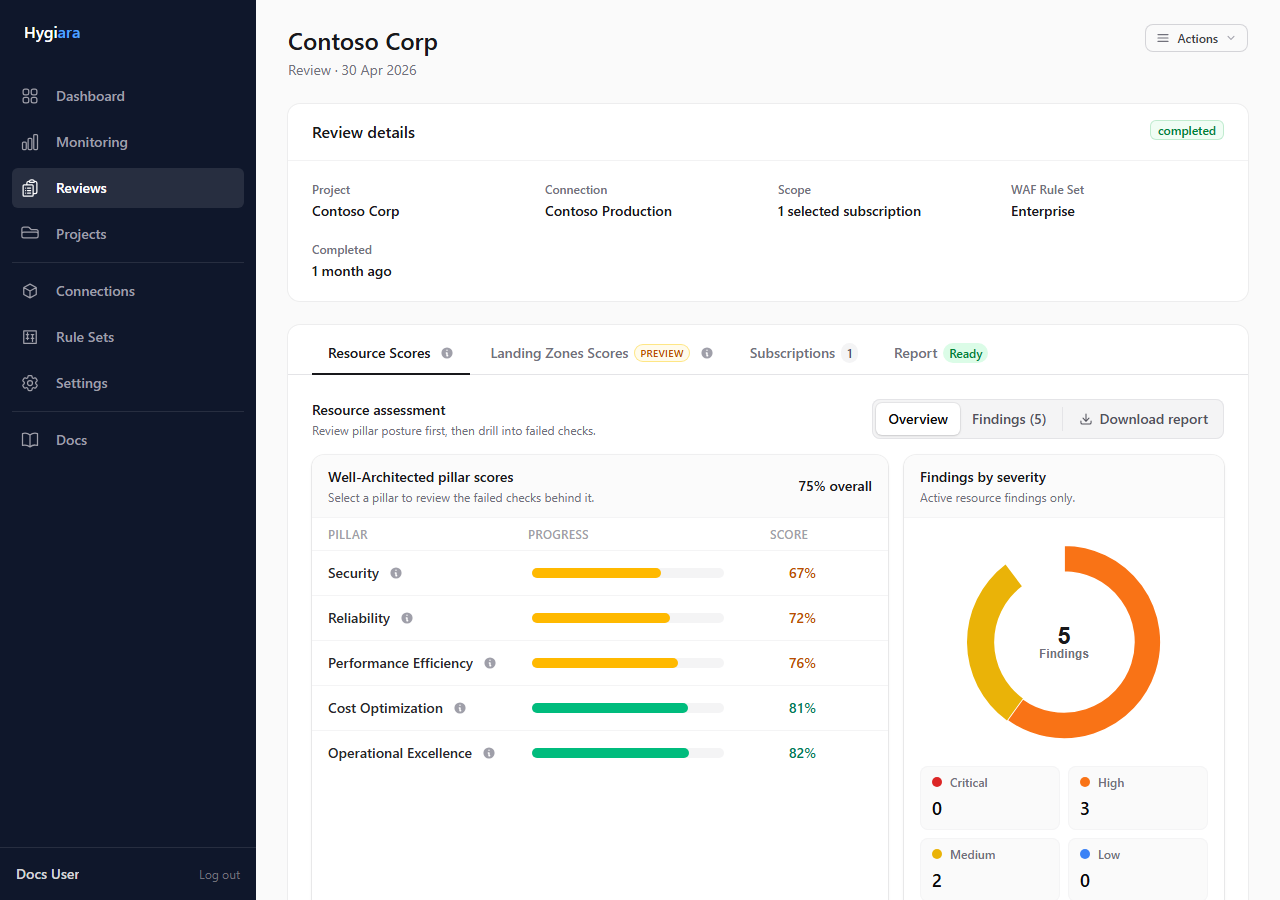
Read in this order
1. Header and run context
Confirm:
- project
- connection or access method
- subscription scope
- review status
- Landing Zone option
If this context is wrong, fix the input before relying on the results.
2. Resource Scores
Start here after completion. The tab shows Well-Architected pillar scores and the findings table.
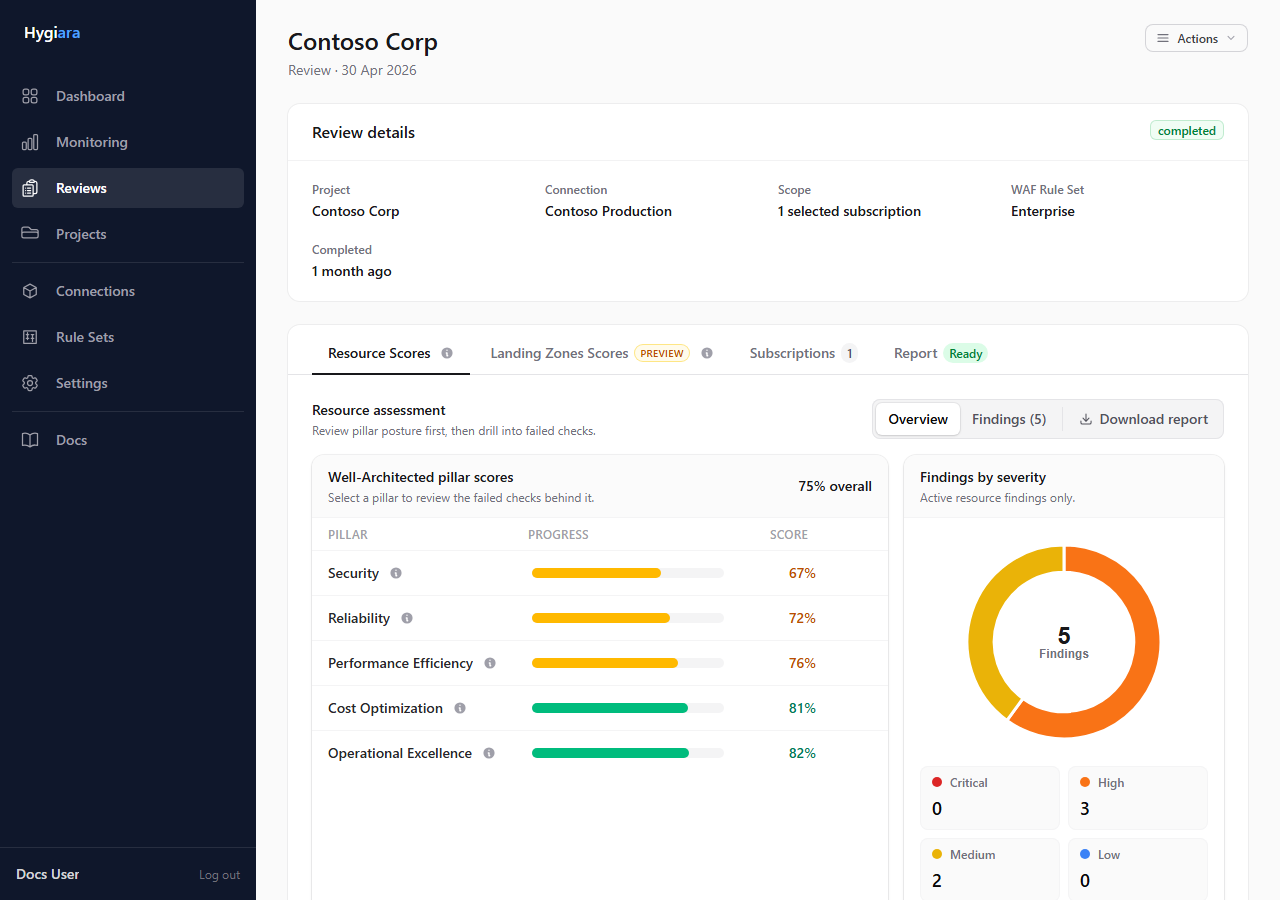
Open Findings, then use filters to narrow by severity, pillar, service, one or more subscriptions, change, disposition, or search text. Change badges identify New, Increased, Reduced, Changed resources, and Newly in scope findings; unchanged findings have no badge. Subscription filters use subscription IDs internally, so subscriptions with similar names remain distinct. The table presents one row per stable recommendation and combines its affected resources across the assessed subscriptions. Resource counts use complete Azure resource IDs, so resources with the same name in different resource groups, resource types, or subscriptions remain distinct.
Accepted exceptions
An organisation administrator can open a finding and accept an exception for one or more selected resources. The decision requires a reason, justification, and owner; temporary exceptions also require an expiry date. An approval reference and review date are optional.
Exceptions are exact: Hygiara matches the project, locked connection, source, recommendation, subscription, and full Azure resource ID. The same resource remains accepted in later reviews, while a newly affected resource stays active. A grouped finding may therefore be Partially accepted. Accepted exceptions remain visible, are not reported as remediation, and do not alter the assessment score. Administrators can revoke them from the finding details.
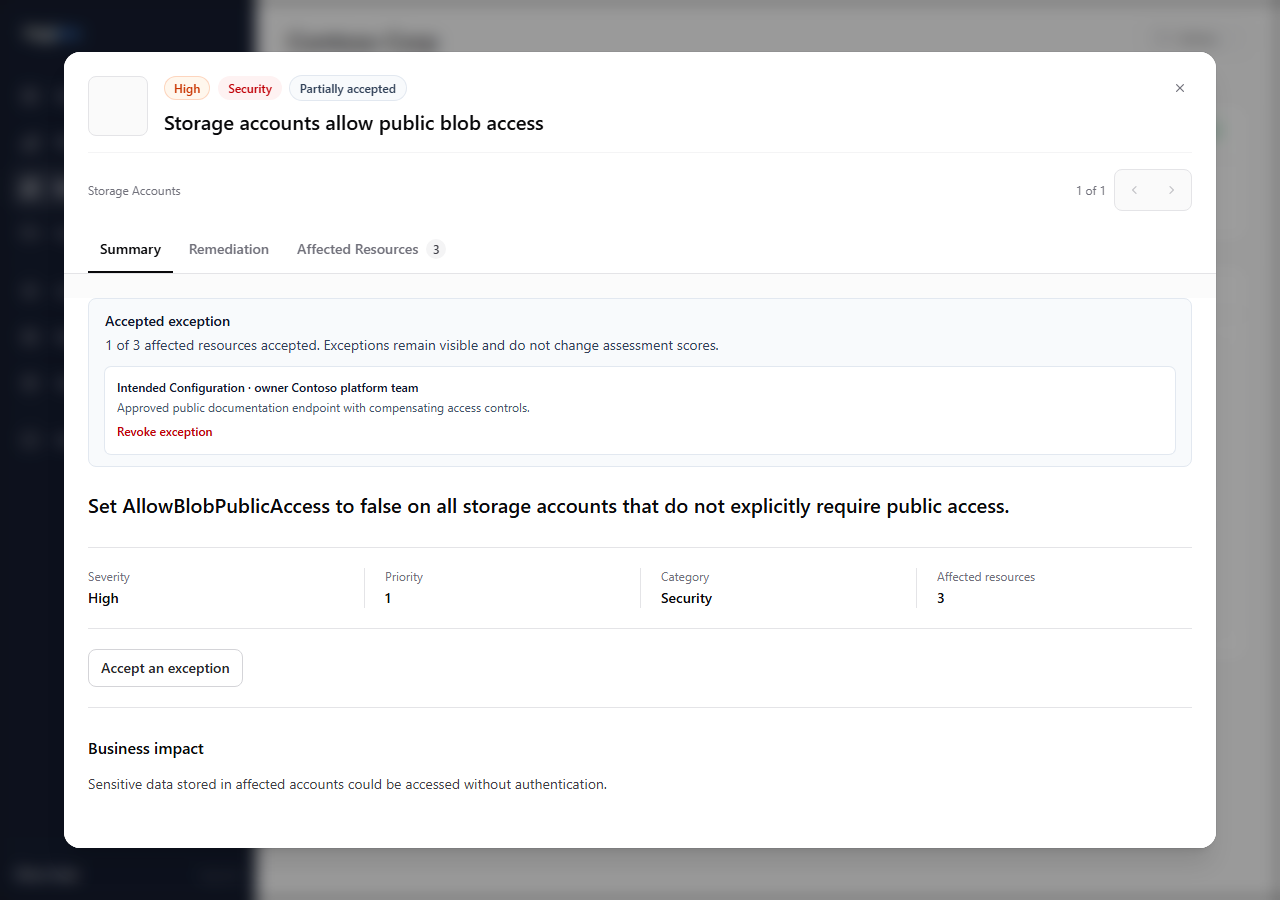
The older suppressed state applies only to its historical review record and is not automatically converted into a durable exception.
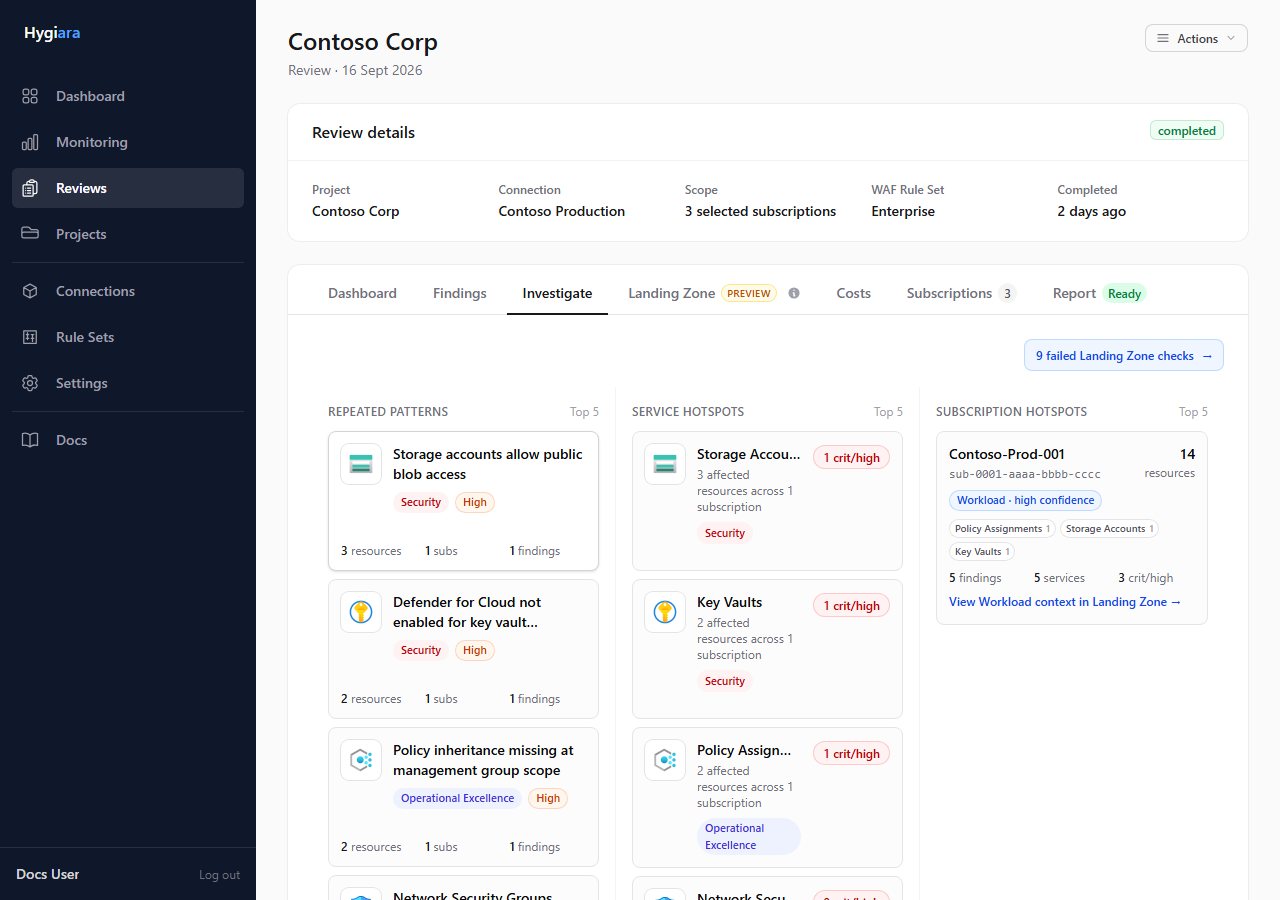
3. Investigate
Use Investigate to find repeated misconfigurations, concentrated service issues, and subscriptions with the broadest impact. Select a pattern or service to open matching resource findings. Select a subscription hotspot to open Resource Scores → Findings pre-filtered to that subscription.
When Landing Zone assessment is enabled, subscription hotspots show their inferred platform role. Follow the Landing Zone link to compare resource evidence with failed platform controls; the Landing Zone tab links back to related investigation hotspots.
4. Finding details
Open a finding to read:
- impact and explanation
- remediation steps
- affected resources
- relevant Microsoft reference links
For a comparison finding, the summary shows its previous and current affected-resource counts and how many subscriptions changed. Newly affected resources are labelled in the affected-resources table. The displayed resource name is accompanied by its full Azure resource ID when available.
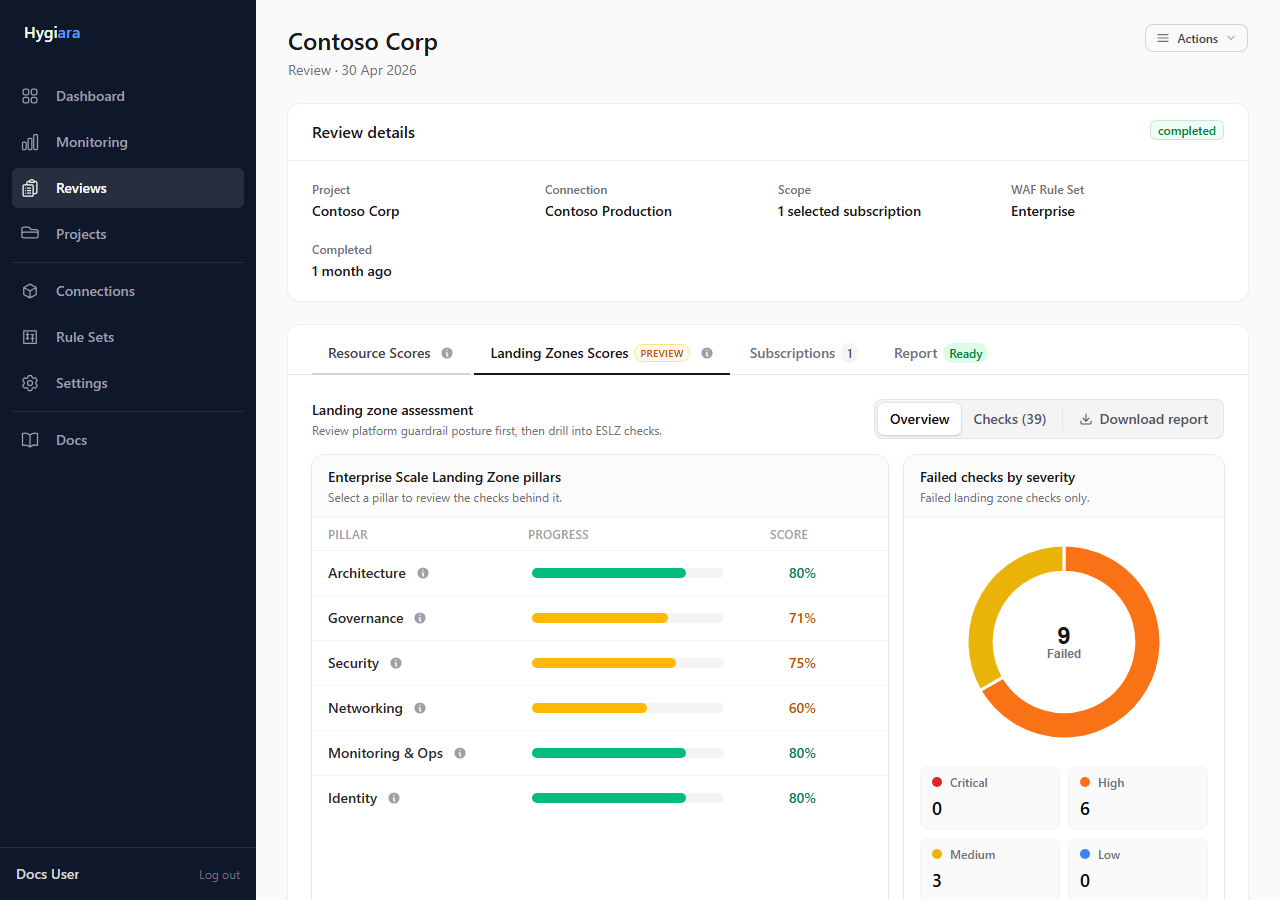
5. Landing Zone
Use this tab only when Landing Zone assessment was enabled. It focuses on platform and governance alignment rather than individual resource posture.
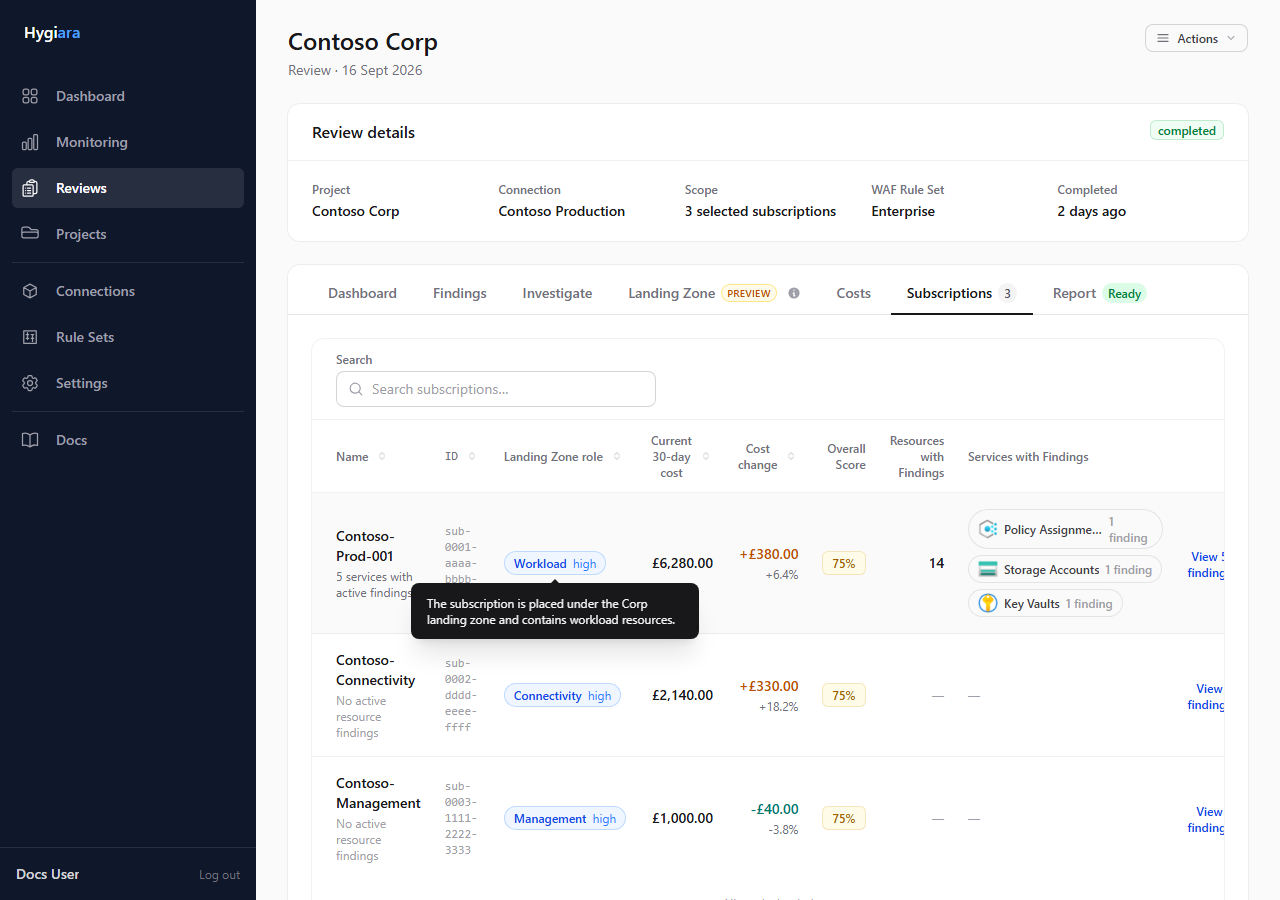
The platform subscription context identifies likely Connectivity, Management, and Identity subscriptions from Azure resource and management-group evidence. AI enrichment checks those signals and records a confidence and explanation; subscriptions remain unclassified when the evidence is insufficient or conflicting. Cost shown here is context only and does not change the Landing Zone score.
6. Costs
Use Costs to compare two consecutive 30-day ActualCost periods, inspect daily trends, and find the services and subscriptions driving change. Multi-currency estates use Azure-normalised USD when it is available; otherwise Hygiara keeps native currencies separate rather than adding unlike currencies.
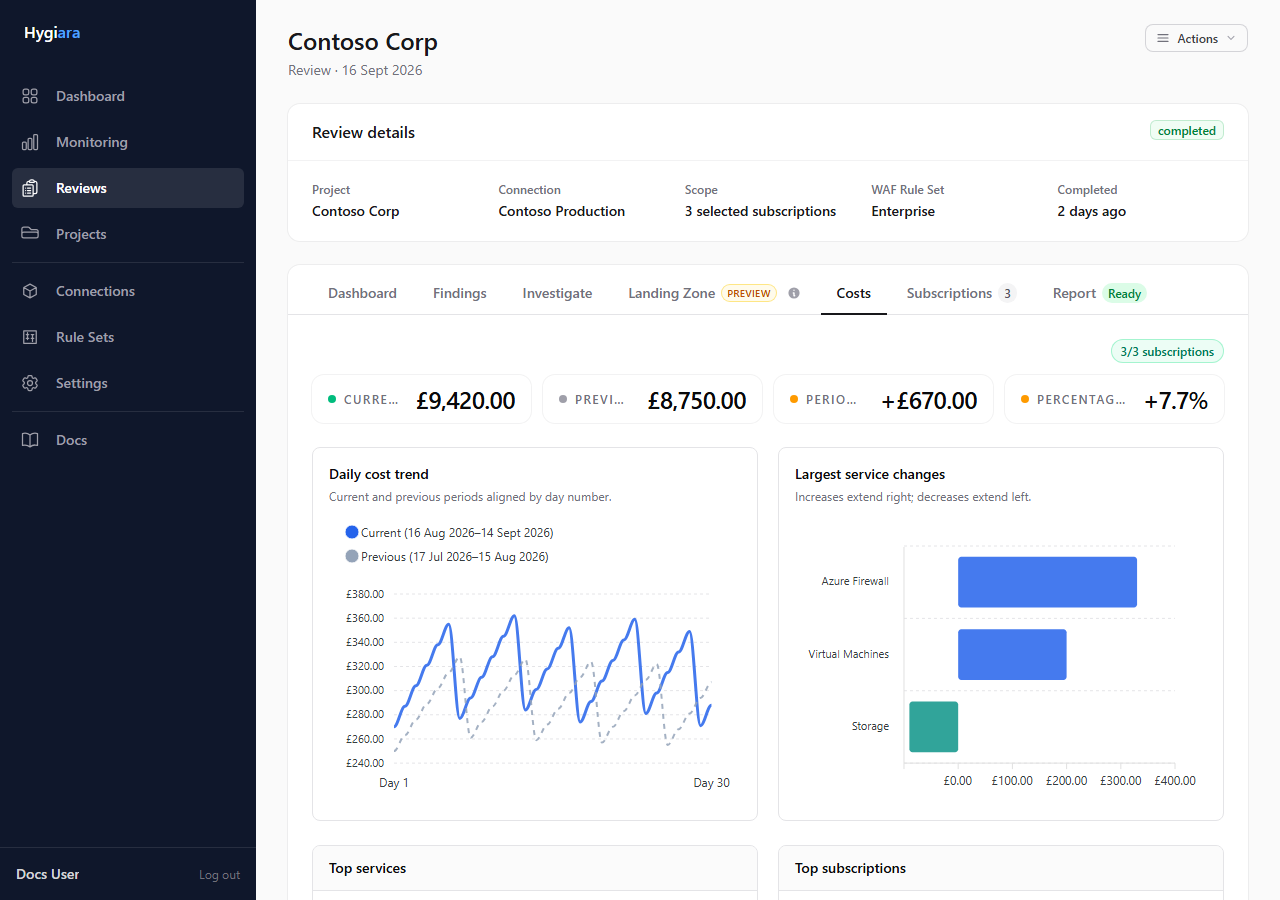
Cost access is best effort. An unavailable or partial result does not fail the review; see Azure permissions when subscriptions are missing.
7. Subscriptions
Use this tab to confirm what was actually included in scope, especially before a client readout. Completed reviews show the inferred Landing Zone role, current 30-day cost, and period change beside each subscription when the corresponding evidence is available. Select View findings on any row to open Resource Scores → Findings pre-filtered to that subscription.
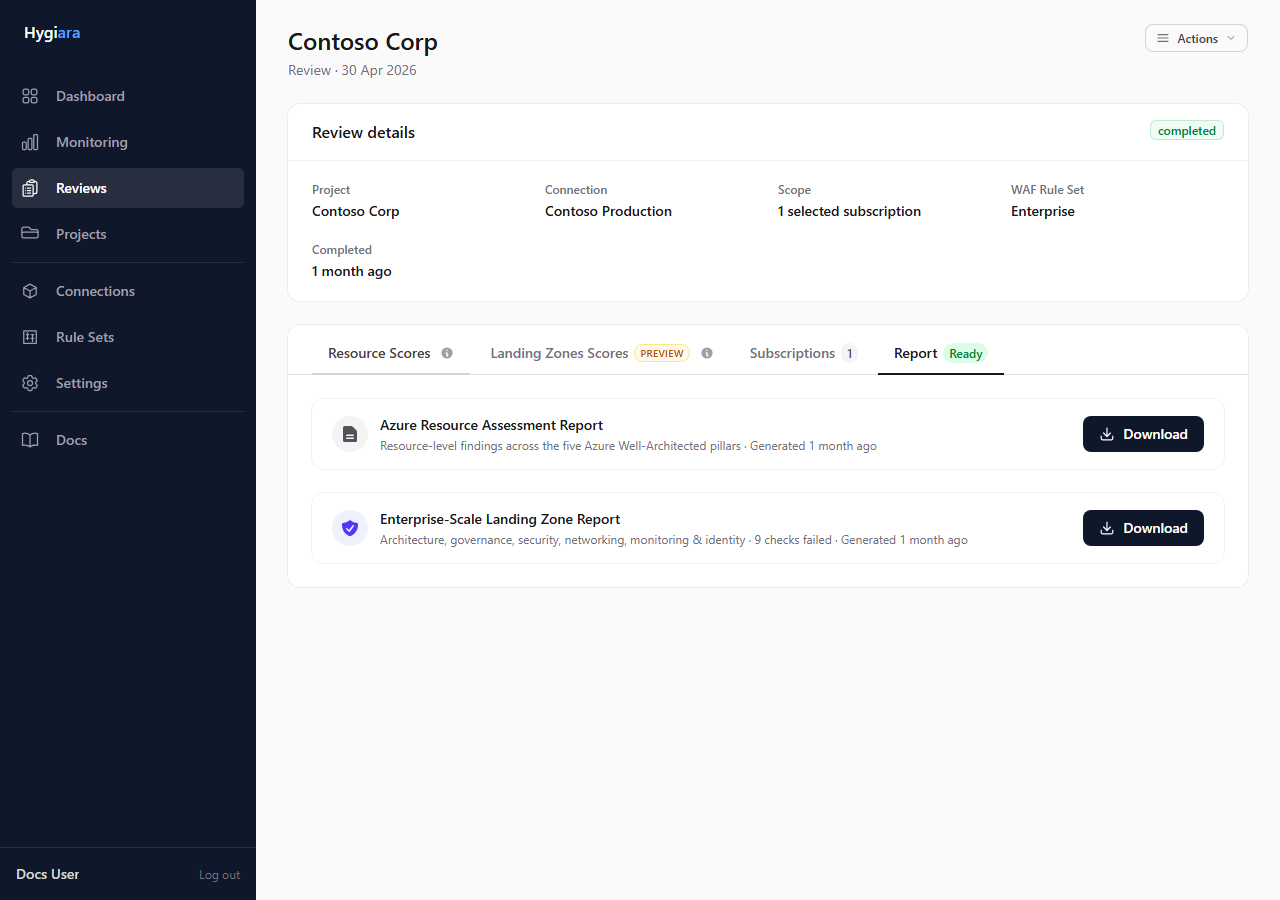
8. Report
Use the Report tab when report generation is complete.
The Word report includes the same positive-only Progress evidence after the executive summary. Current findings remain in the detailed appendix, where accepted and partially accepted findings disclose their disposition and confirm that the score is unchanged. The existing report-ready email includes current findings, active findings, accepted exceptions, and the resolved/reduced/new/increased/unchanged summary. Azure cost movement stays in the separate Cost Overview and is not described as savings caused by Hygiara advice.
Check the result
A review is ready to use when the status is complete, the scope matches the expected subscriptions, findings look plausible, and the report downloads open successfully.
Avoid
- reading findings before checking scope
- treating Landing Zone results as a replacement for resource findings
- downloading a report before report generation is complete