Connections And Credentials
Adding A Connection
How to add a reusable Azure connection to the organization, step by step.
Add a reusable Azure connection when a project needs repeat reviews, templates, or scheduled scans.
Do this
1. Open the modal
Go to Connections and click New Connection.
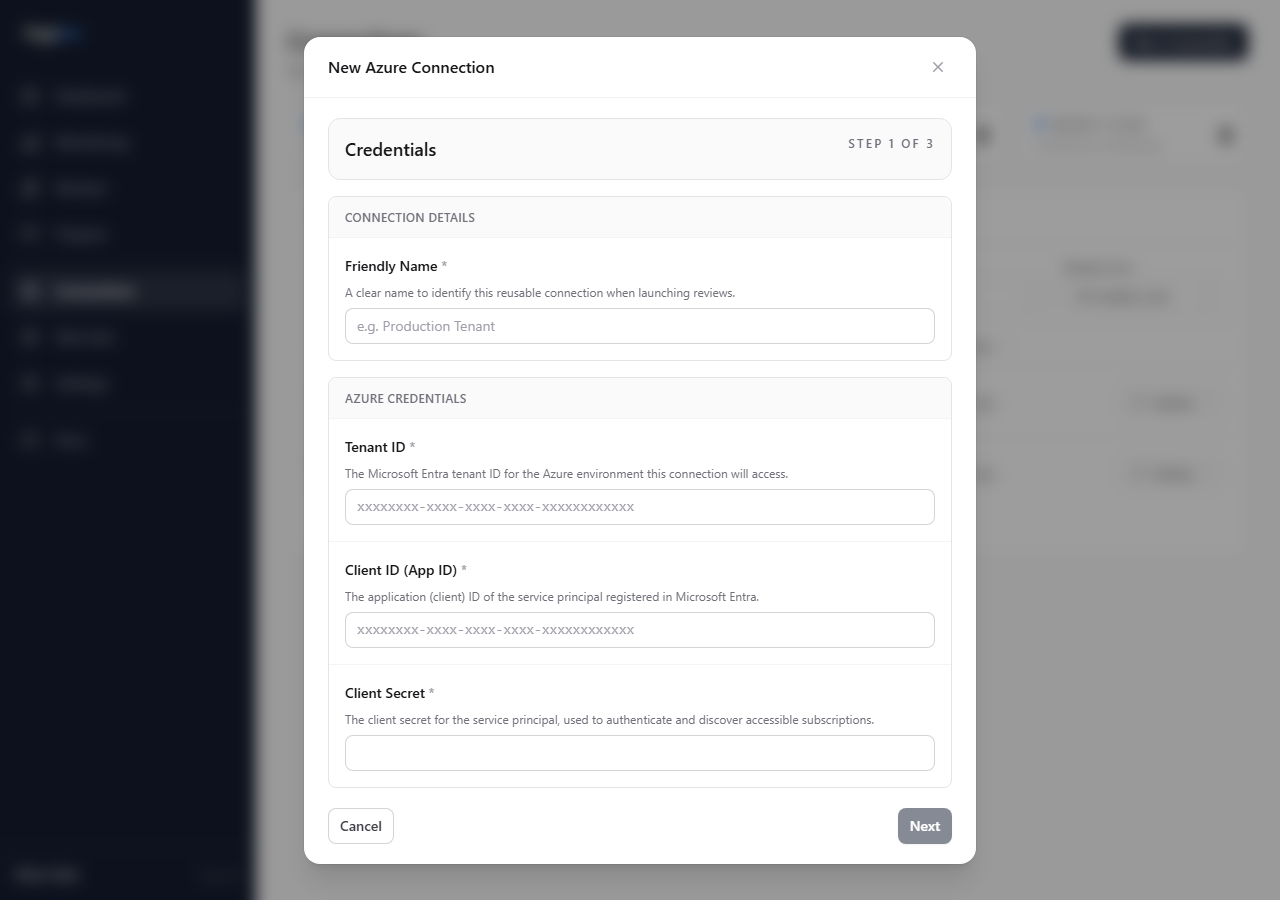
2. Enter credentials
Fill in:
- Friendly name - a recognizable label, such as
Contoso Production - Tenant ID - the Azure tenant ID
- Client ID - the app registration client ID
- Client Secret - the secret value for the app registration
The Next button stays disabled until all required fields are present.
3. Validate subscriptions
Click Next. Hygiara authenticates with Azure, discovers accessible subscriptions, and shows the subscription list.
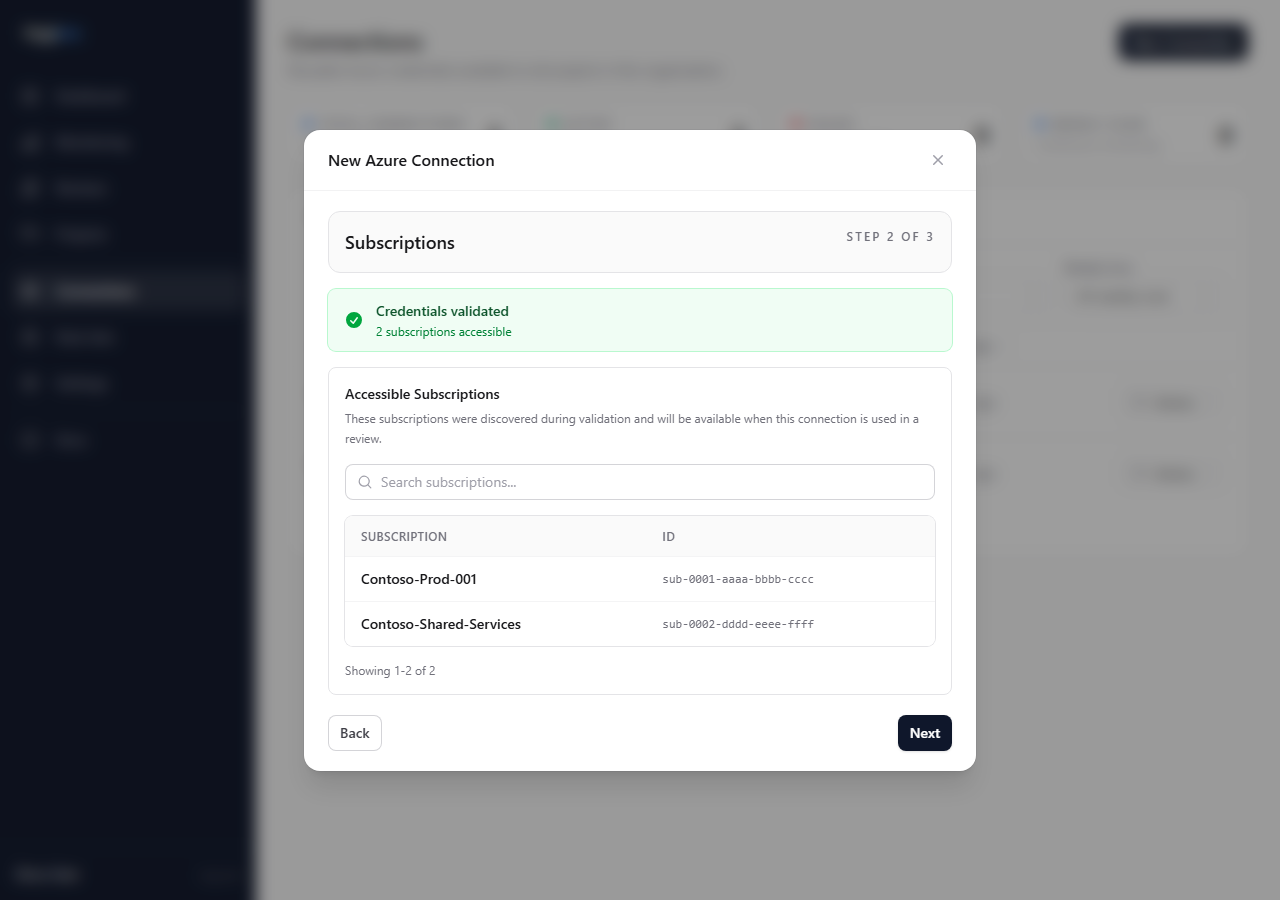
Check that the listed subscriptions match the expected scope before saving.
4. Set options
Choose whether the connection should run continuous scans. If you enable scans, choose the WAF rule set to use.
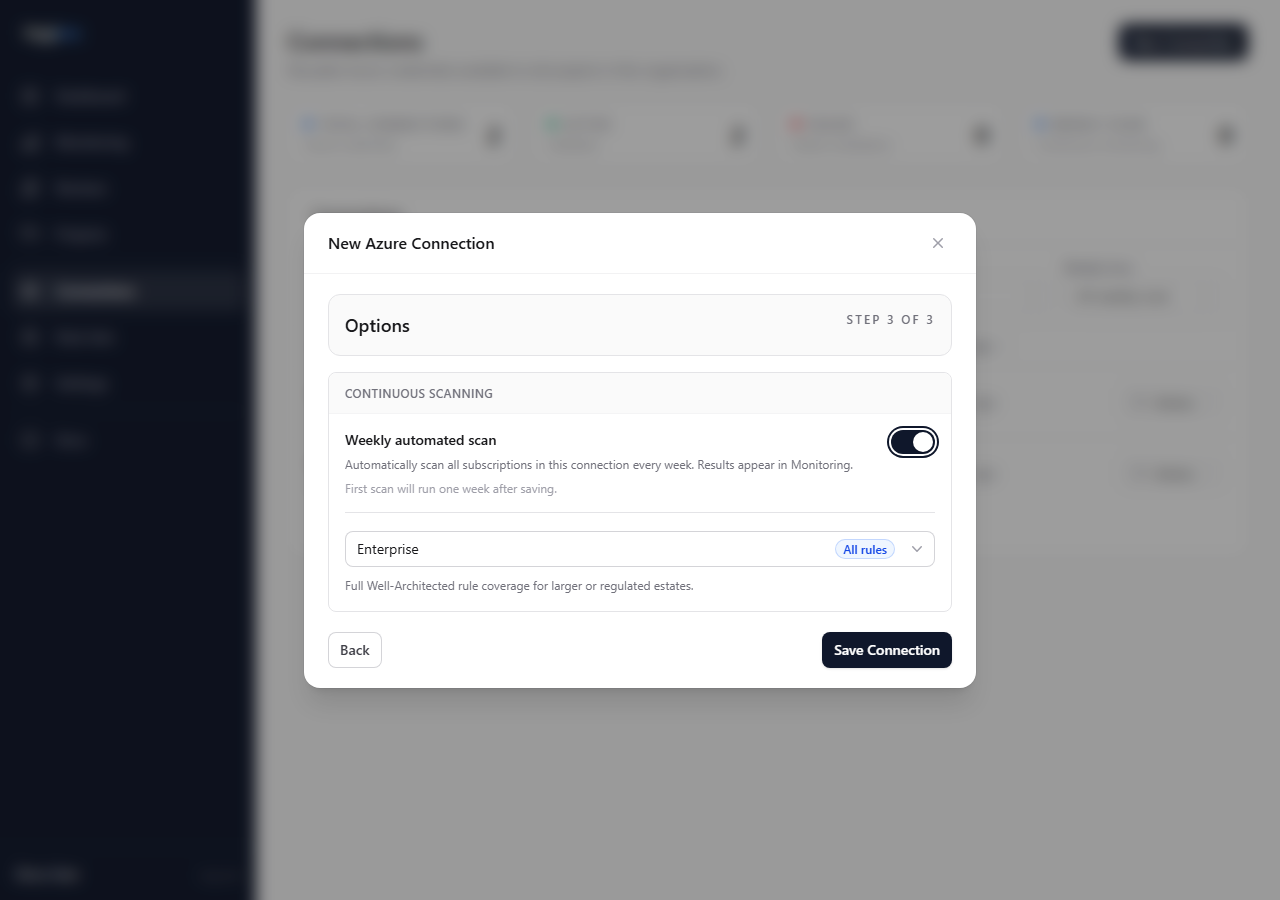
Click Save Connection.
Key choices
- Continuous scanning: enable it only when you want Hygiara to run scheduled scans with this connection.
- WAF rule set: use all rules for broad coverage, or a custom rule set for a narrower review pattern.
- Reader scope: assign Reader at subscription level for specific subscriptions, or at management group level for broader estates.
Check the result
The saved connection should appear on the Connections page and be available in the New Review modal.
Validation should show the subscriptions the service principal can actually access. If expected subscriptions are missing, fix Azure RBAC before queueing reviews.
Avoid
- saving credentials before validating subscription visibility
- using the wrong app registration or expired secret
- assuming partial subscription visibility means the full estate is covered