Reviews
Creating A Review
How to create a Hygiara review and choose the right scope and options.
Create a review when you are ready to scan Azure access and turn the result into findings, scores, and reports.
Do this
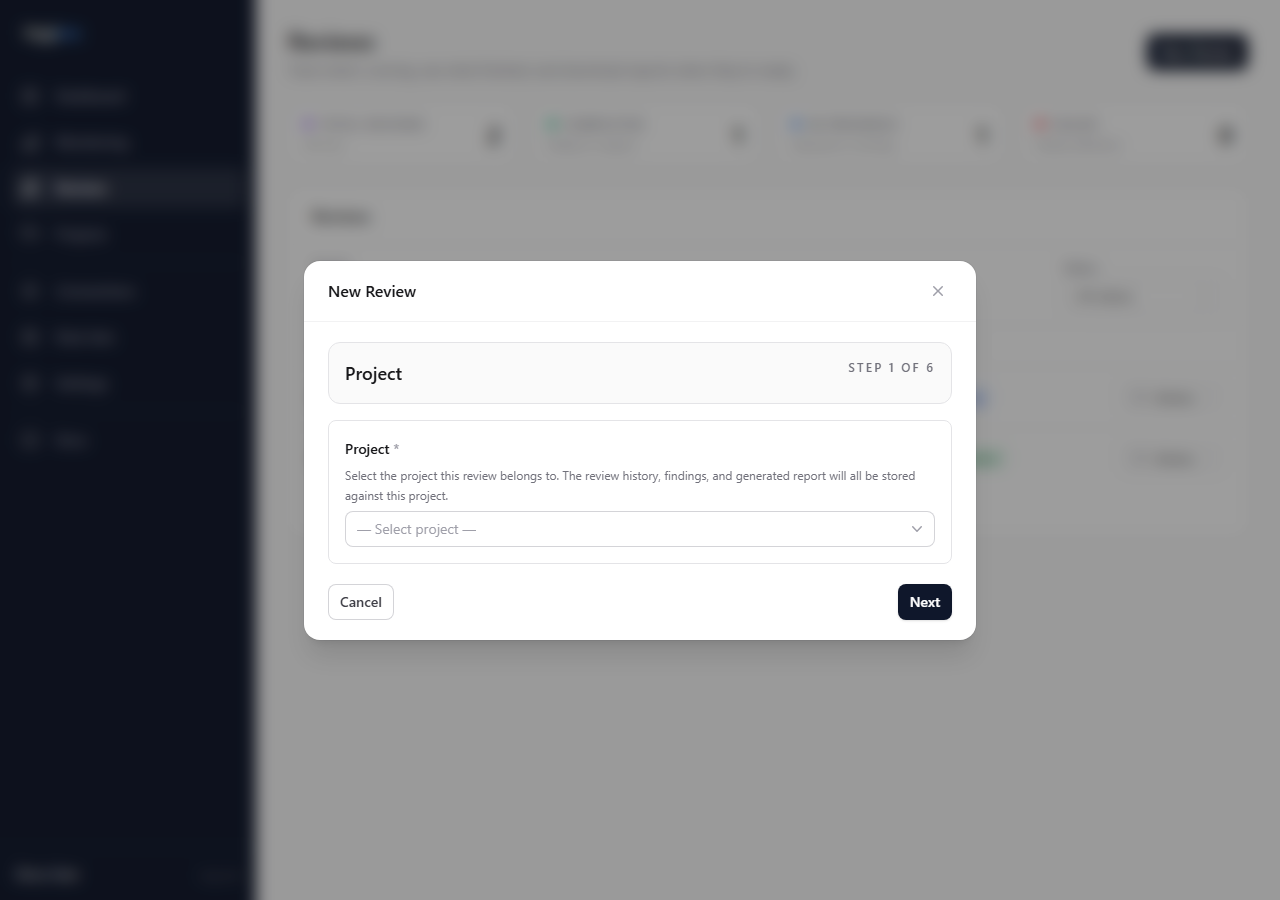
1. Choose the project
Open New Review and select the project.
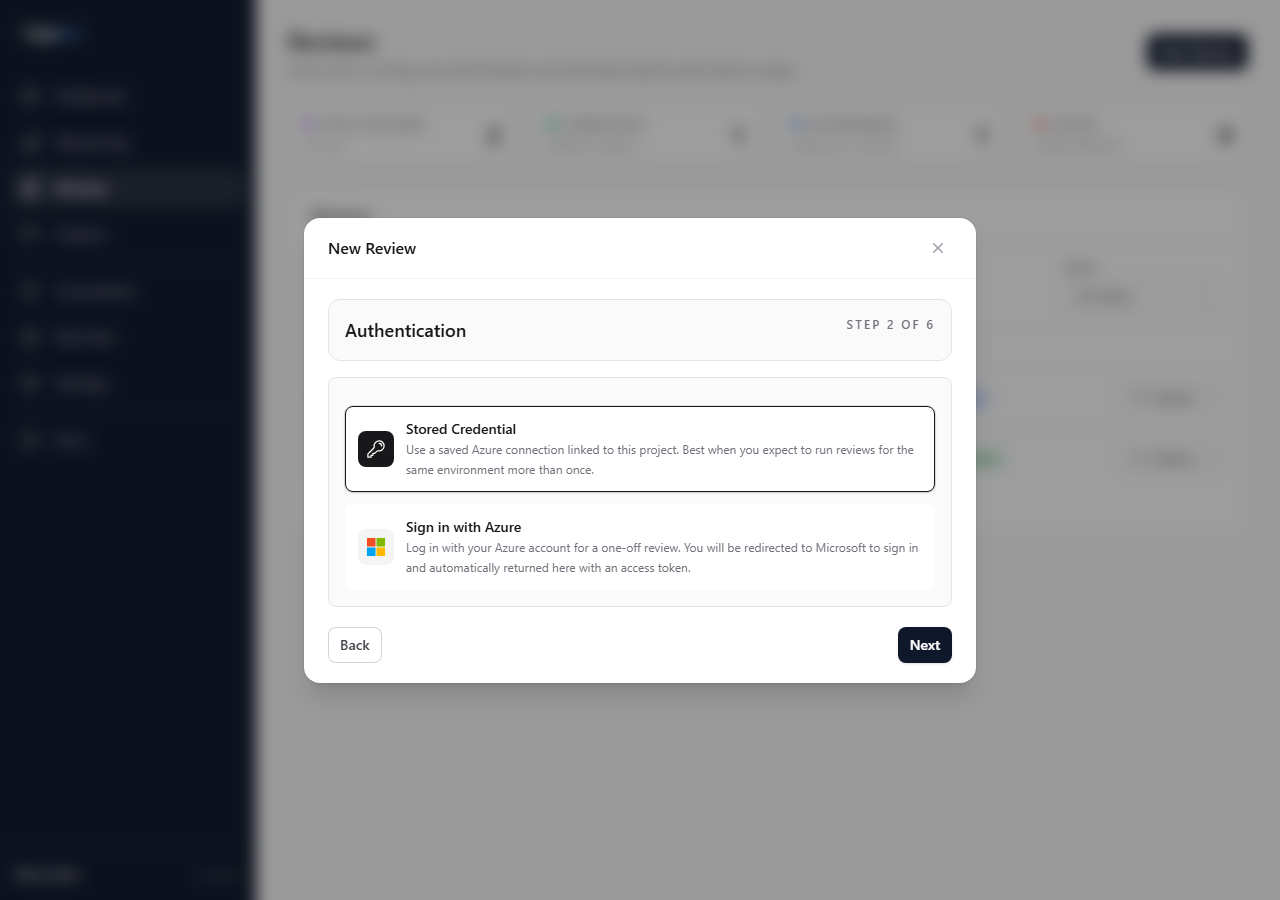
2. Choose authentication
For an unlocked project, use a saved connection for repeat work or one-off Azure sign-in for temporary access. Selecting a saved connection permanently assigns it to the project. A locked project automatically uses its assigned connection and skips this step.
3. Choose subscriptions
Stored connections show a subscription picker. Select only the agreed scope.
One-off access includes the subscriptions visible to that access path.
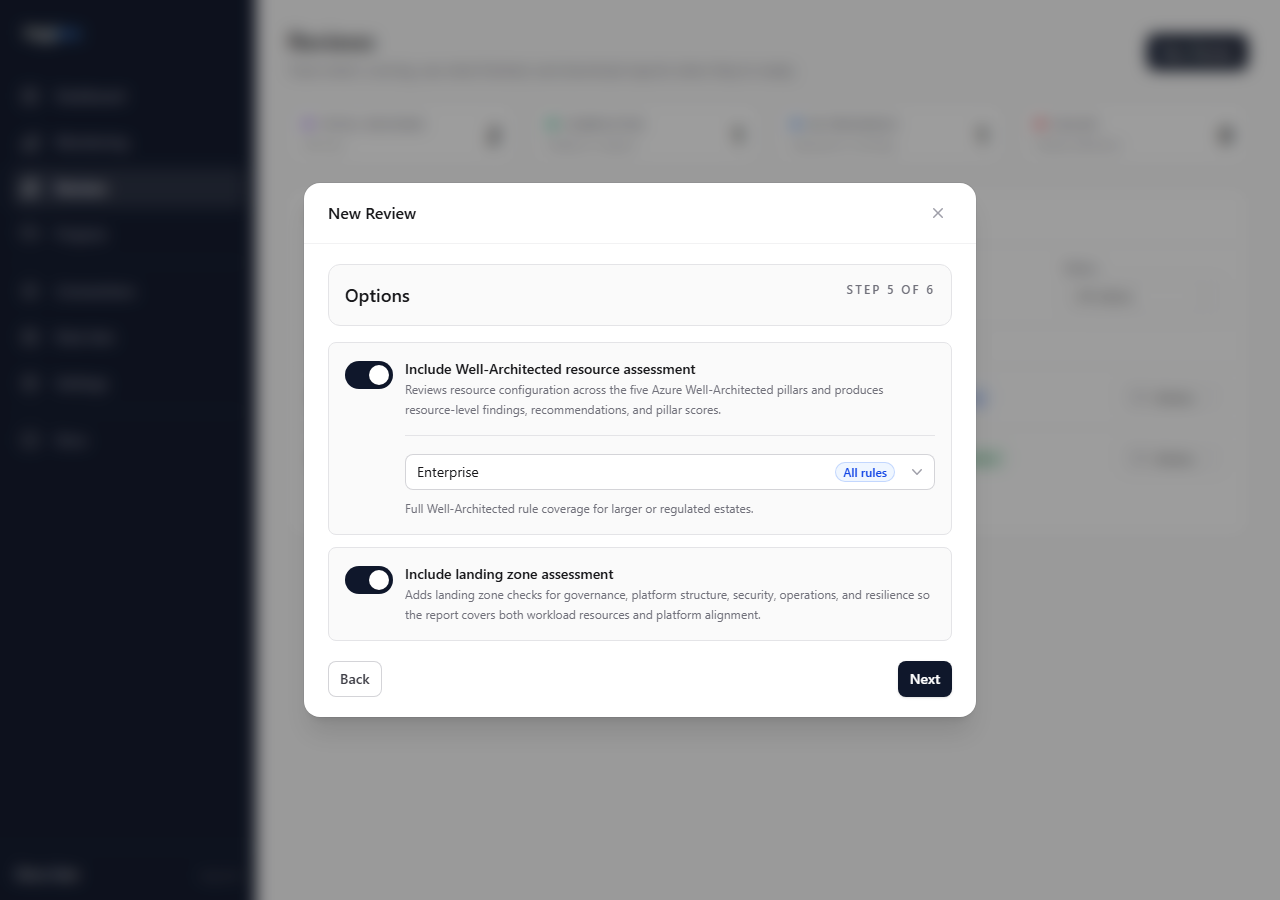
4. Set options
Choose the WAF rule set and whether Landing Zone assessment is included. After a stored-connection baseline exists, Track value against prior reviews is enabled by default. Disable it for an ad-hoc review that should not appear in the project's comparison history.
5. Confirm and queue
Check project, access method, subscriptions, rule set, and report options before queueing.
Key choices
- Saved connection or one-off access: saved connection for repeatable work; one-off access for temporary access.
- Subscription scope: include only the scope agreed for the review.
- Landing Zone assessment: enable it when management groups, policy inheritance, platform subscriptions, or landing zone guardrails are in scope.
- Rule set: use Enterprise for complete coverage, SMB for a cost-aware operational baseline, or a custom set for a focused review. Current Microsoft Advisor recommendations are woven into the selected set as observed-only, unscored rules; they do not bypass exclusions for a linked deterministic control.
- Value tracking: tracked reviews compare shared evidence with the preceding tracked review and original baseline. Scope changes remain allowed and are reported separately.
SMB rule coverage
The SMB set prioritizes controls that smaller teams can act on without first redesigning the Azure estate. It includes cost and orphan-resource checks, monitoring and alerts, service retirement, transport security, identity hardening, backups and recovery safeguards, governance, health checks, and practical autoscaling controls.
Private endpoints, forced public-network isolation, premium SKUs, availability-zone requirements, and multi-region architectures remain in the Enterprise set because they can require material cost or topology changes. Select Enterprise when those controls are required by workload criticality, regulation, or an agreed availability target.
Check the result
After queueing, open the review page and watch the status. When it completes, confirm the selected subscriptions before using findings or reports.
Avoid
- queueing a review before checking scope
- enabling Landing Zone assessment without the needed Azure visibility
- using a custom rule set without confirming what it excludes