Connections And Credentials
Azure Connections
What reusable Azure connections are, why they matter, and when to use them.
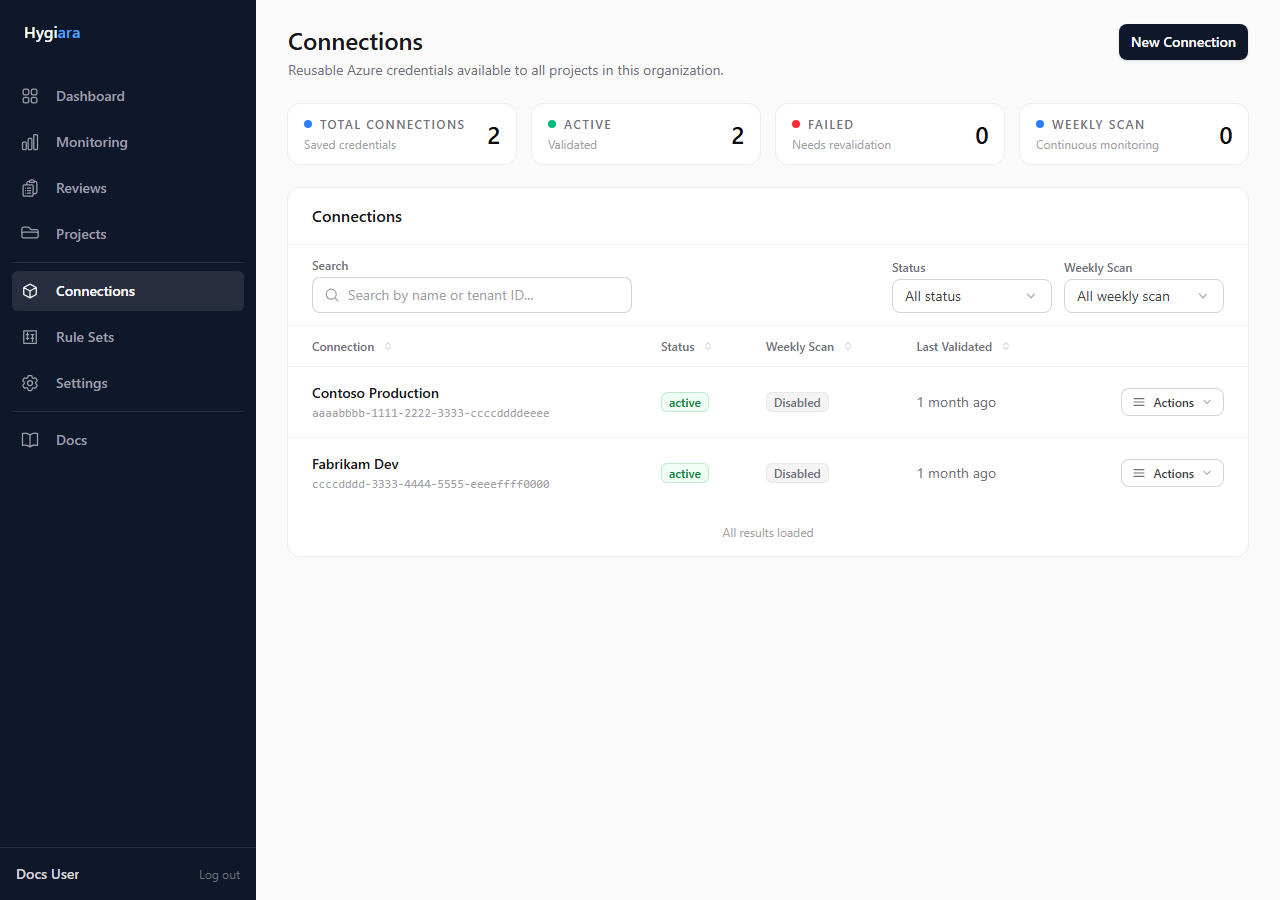
A saved Azure connection gives the organization a reusable way to scan Azure subscriptions without re-entering credentials for every review.
What matters
Hygiara uses a saved connection to:
- validate Azure access before a review is queued
- discover accessible subscriptions
- make repeat reviews faster
- run scheduled continuous scans when enabled
- store the WAF rule set used by continuous scans
Adding a connection does not start a review. It makes the connection available to review creation, templates, and schedules.
Use one when
- the same project will be reviewed more than once
- another operator needs to use the same Azure access path
- you want scheduled scans or repeatable templates
- token-based access is too manual for the workflow
Use one-off sign-in or token access when the review is genuinely temporary.
Check the result
After saving, the connection should appear on the Connections page and be selectable when creating a review.
If continuous scanning is enabled, confirm the selected WAF rule set is the one you want used for scheduled runs.
Avoid
- assuming a saved connection creates findings by itself
- using a saved connection for a one-off engagement where temporary access is enough
- enabling continuous scans without checking the rule set